Mark it. Show it.
A lightning-fast, dark-first PDF annotator that disappears until you need it — and plugs straight into OBS, Stream Deck, vMix, or any WebSocket-friendly workflow.
- Stays invisible until you need it
- True dark-mode with neon highlights
- Direct OBS, Stream Deck & WebSocket control
- <10 MB install, <80 MB RAM
Free & open source · No account required · Windows, macOS & Linux
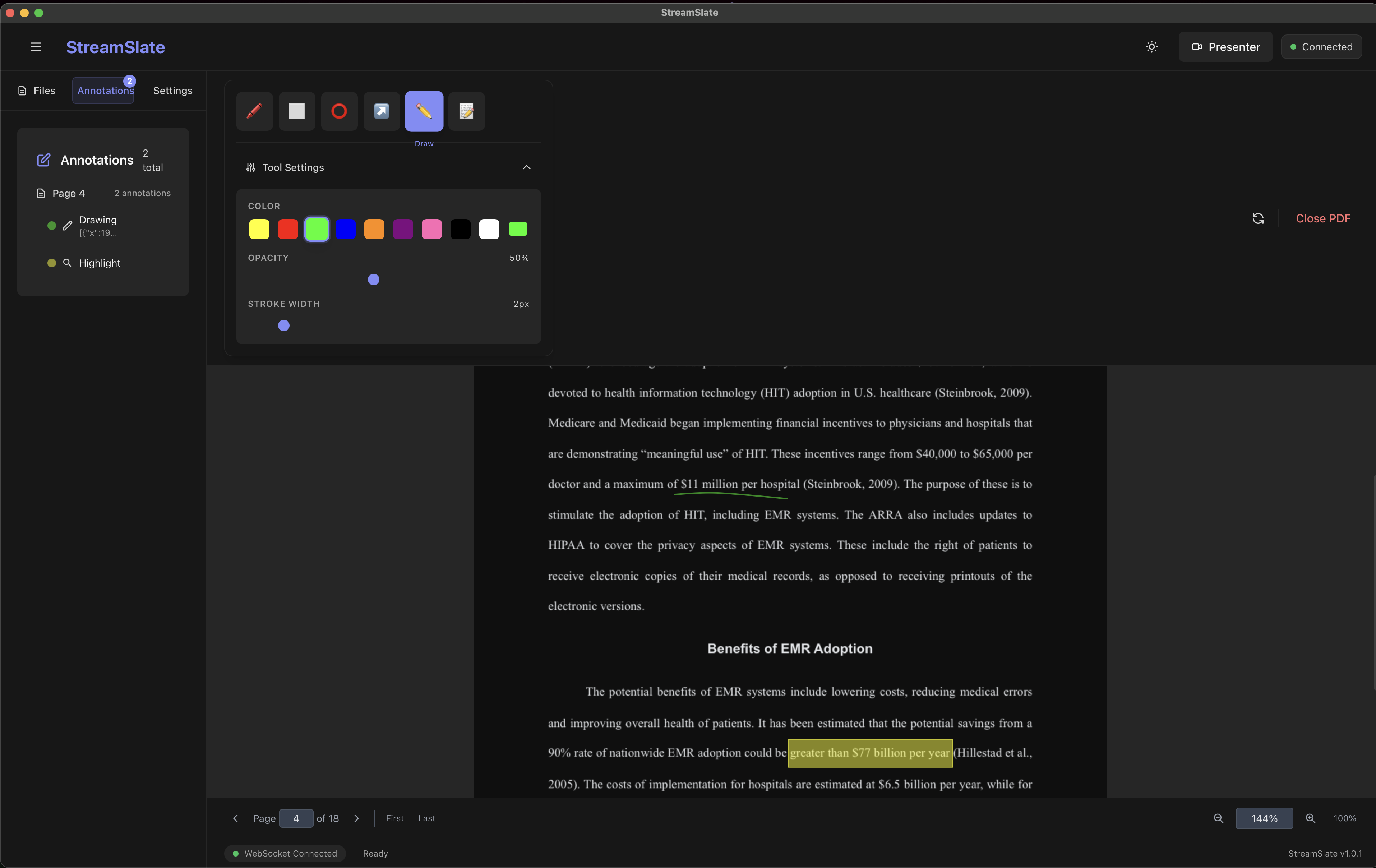
The actual UI — not a mockup
Controls stay close while your stream output stays clean. These are real screens from the app.
Annotations Workspace
Tool settings, color controls, and live annotations while presenting.
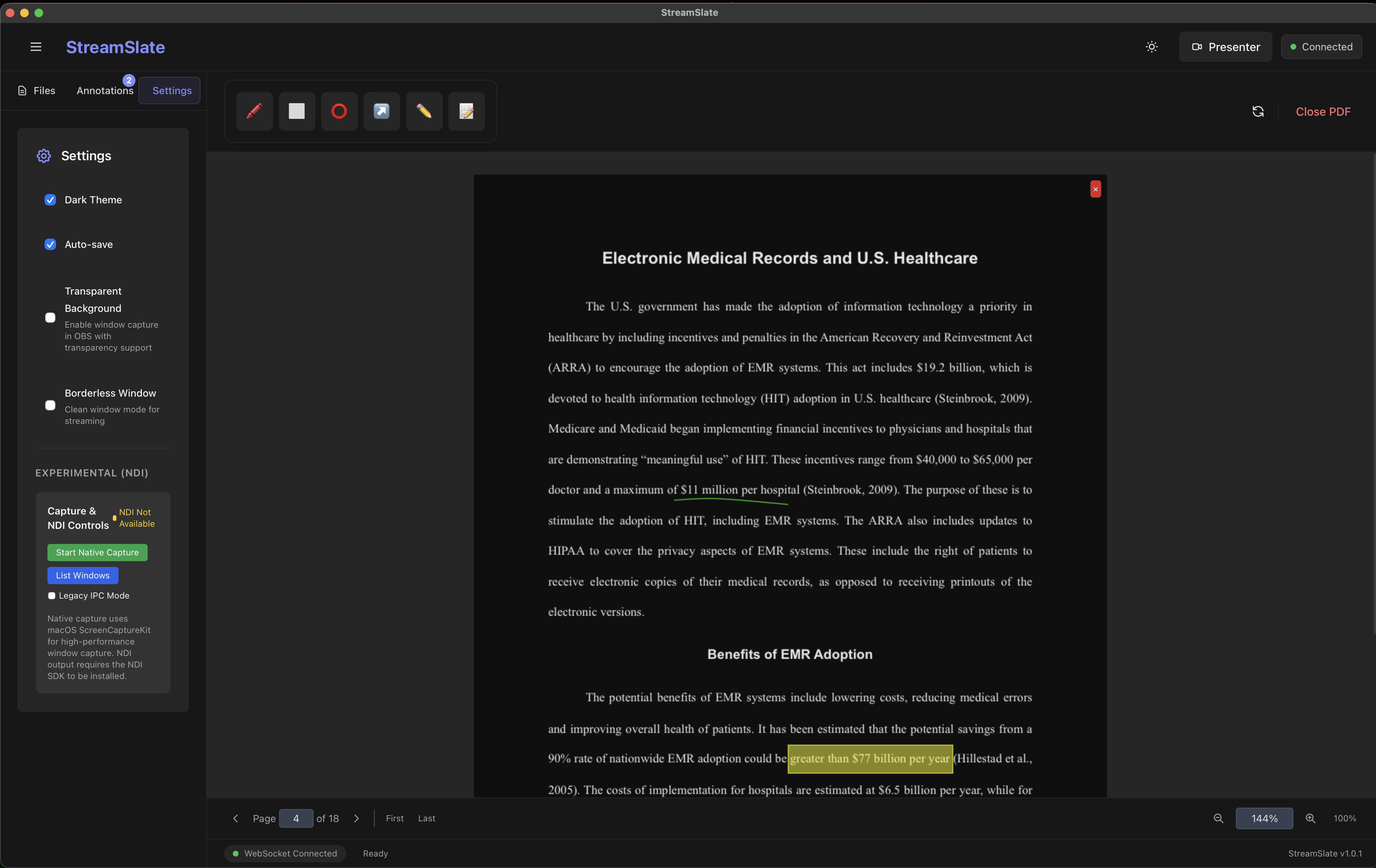
Presenter View
Minimal output mode optimized for OBS browser source capture.
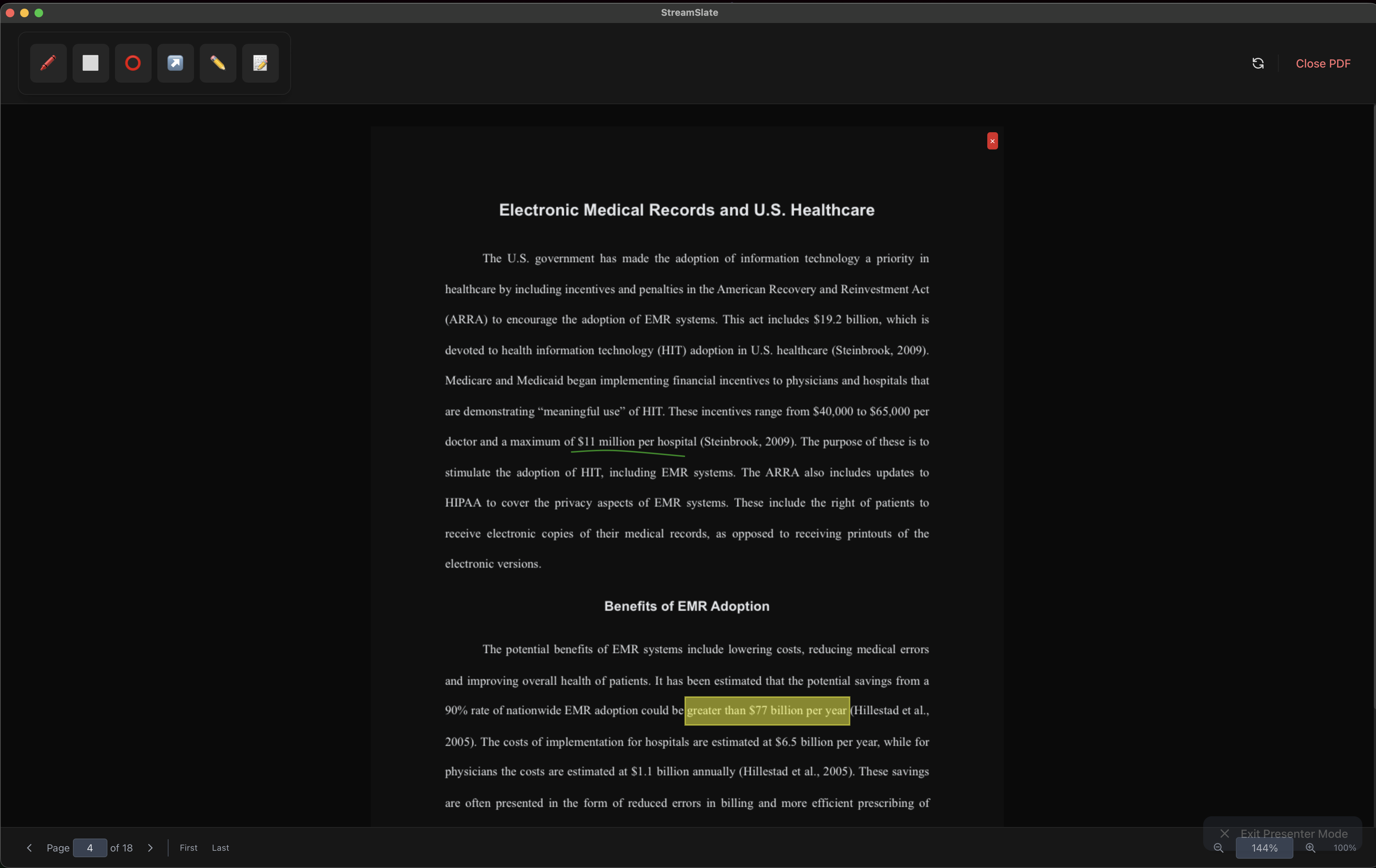
Settings Panel
Streaming-focused preferences including transparent background and borderless mode.
Everything on screen, nothing in the way
Every feature is designed around one idea: stay out of the frame until the moment you mark something up.
OBS & Stream Deck control
Go beyond a browser source. Drive scenes, recording, and annotations directly from your existing rig.
- OBS Browser Source
- OBS WebSocket scene & recording control
- Official Stream Deck plugin (Elgato SDK v2)
Smart Annotations
Highlight, underline, strike, free-ink, shapes, arrows, and text — tuned for live speed.
Dark-First UI
True page inversion with a neon palette that stays readable on camera.
Presenter Mode
Borderless, transparent output built for clean OBS browser-source capture.
Native Capture
ScreenCaptureKit with multi-monitor selection for ultra-low latency on macOS.
Plug into your whole rig
StreamSlate speaks the protocols your streaming setup already uses — no glue scripts required.
OBS Studio
Browser Source URL plus direct OBS WebSocket scene & recording control
Stream Deck
Official Elgato plugin — page nav, zoom & presenter toggle on physical keys
WebSocket API
Local v2 control protocol with capability negotiation & REST endpoints
$ streamslate MyDeck.pdfThen add a Browser Source in OBS pointed athttp://localhost:11451/presenter
Ready to level up your streams?
Join creators using StreamSlate to engage their audience with crystal-clear annotations.